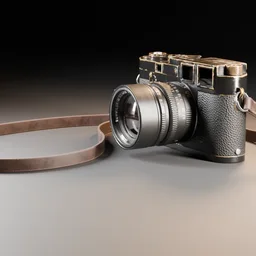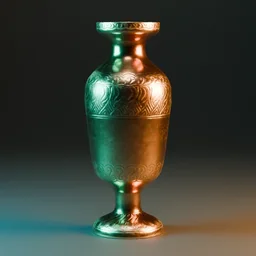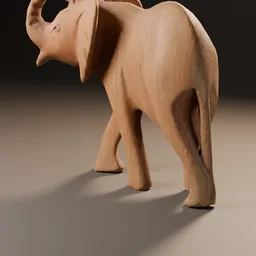
The best places to get free Blender models are Poly Haven and ambientCG (both CC0), game-asset packs from Kenney (CC0) and Quaternius (free for commercial use under its own license), Blender's own demo files and Blender Studio characters, and Sketchfab for sheer variety. CC0 means you can use a model commercially without credit; anything else, you read the license on that model's own page.
This guide covers free 3D models for Blender from sources that publish their license terms, shows how to bring a downloaded model into your scene, and lists what to check before a free model ends up in client work. Every license statement below comes from the source's own page, read on November 4, 2026.
Free 3D models for Blender at a glance
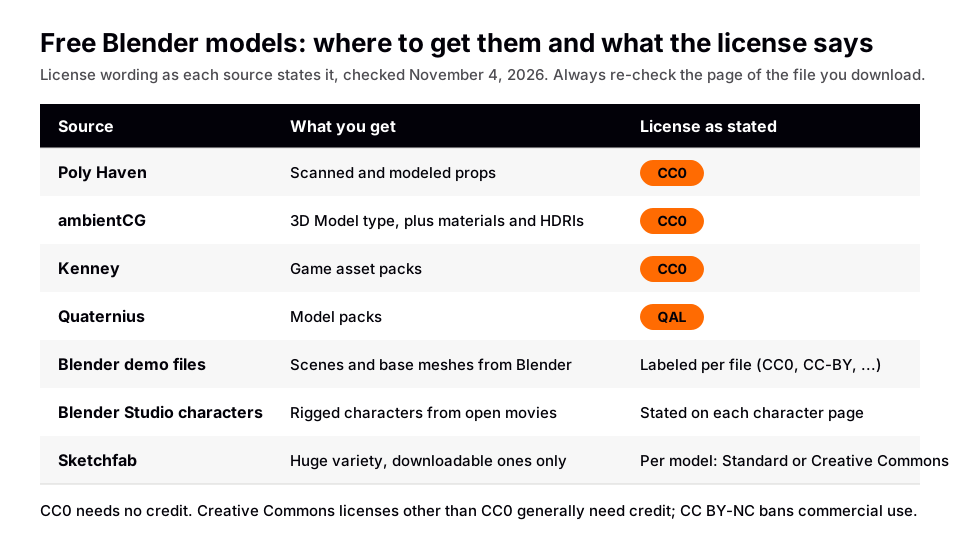
Start with the CC0 sources. A CC0 asset removes the paperwork: no credit line, no license file to keep, and no worry when a client asks where the model came from. Use the sources with per-file licenses only when you cannot find what you need in the first four.
Poly Haven: free CC0 models, HDRIs and textures
Poly Haven is the first stop for free Blender models that look finished. Its license page states that all assets (HDRIs, textures and 3D models) are CC0, which it describes as effectively public domain. You can use them for any purpose, commercial included, and credit is appreciated but not required.
The models section is sorted into 15 categories, including Furniture, Food & Kitchen, Nature, Vehicles & Transport and Tools & Equipment. When we checked on November 4, 2026, Poly Haven's public API listed 521 models. The file listing for the model we inspected offered blend, fbx, gltf and usd downloads at several texture resolutions, so you can pick the format that fits your pipeline.
One limit worth knowing: the same license page says the CC0 grant covers the assets, not the rest of the site. Poly Haven's logos, text, and the example renders and user-submitted renders on its pages stay protected. Use the model in your own render, but do not republish their preview images as yours.
Poly Haven also has a Blender add-on that brings its assets into Blender's asset browser. Its plugin page describes the add-on as paid, while the downloads on the website are free. You do not need the add-on to use the models: download the blend file and append it, as shown below.
Sources: license page · models section
ambientCG: CC0 models, materials and HDRIs
ambientCG is best known for PBR materials, and its asset types page lists "3D Model" next to Material, Atlas, Decal, HDRI, Terrain and others. Its license page says every asset is under the Creative Commons CC0 1.0 Universal license, covering the downloadable files and the material preview renders. It also says you do not need to give credit, though it suggests wording if you want to.
If you need surface textures more than shapes, read our guide to free Blender textures. If you need lighting, the guide to Blender HDRIs covers both sources.
Sources: asset types page · license page
Kenney and Quaternius: free game asset packs
Kenney's support page says its game assets are public domain (CC0), that you can use them in commercial projects, and that credit is optional. It asks you not to use the Kenney logo, which the studio reserves for its own projects.
Quaternius's license page, read on November 4, 2026, now shows the Quaternius Asset License (QAL) v1.0, last updated 8/28/2026. It says you can use the assets free of charge in personal, educational and commercial projects with no credit required, but you cannot resell or redistribute the assets themselves as assets. Its FAQ still says its models are CC0, and its pages do not make clear which applies to which pack, so read the license on the pack's own page before you rely on either. Both sources distribute packs rather than single props, so check the format list on each pack's download page before you commit to a pack.
Sources: support page · license page · FAQ
Blender demo files and Blender Studio characters
Blender publishes production scenes and base meshes on its demo files page. The page labels the license on each file instead of one blanket license. On November 4, 2026 it listed Human Base Meshes v1.4.1 (49 MB) and Cube Diorama (11 MB) as CC0, the Classroom scene as CC0, and several others as CC-BY. Some entries showed no license label at all, so treat those as not cleared for reuse until you find a license stated elsewhere.
Blender Studio's character library lists rigged characters from the open movies, such as Sintel, Big Buck Bunny and the Sprite Fright cast. The index page does not state a license, but each character has its own page; the Critter Evolved page, for example, says "License: CC-BY". CC-BY means you give credit, so keep the credit line with your project. For more rigged options, see our list of free Blender character models.
Sources: demo files page · character library
Sketchfab: the biggest pool, with per-model licenses
Sketchfab has the widest range, but it is the source where you must read every license. Its help center says a model is only available to download if the owner enabled it, and each downloadable model is offered under either a Standard License or a Creative Commons license. Under a Creative Commons license you generally need to credit the creator, except for CC0. Under CC BY-NC, others cannot use the model commercially.
In practice: filter search to downloadable models, open the license box on the model page, and skip anything marked non-commercial if the work is for a client. Compare this with Blender Market, BlenderKit and Poly Haven if you also consider paid libraries.
Sources: help center
How to read a model license in 30 seconds
| License label | Credit needed? | Commercial use? |
|---|---|---|
| CC0 | No | Yes |
| CC-BY | Yes, credit the creator | Per the license text; read it |
| CC BY-NC | Yes | No, according to Sketchfab's help article |
| Sketchfab Standard License | Not mentioned in the article | Yes, per Sketchfab's article |
Save a screenshot or copy of the license text with each model you use. A page can change after you download, and a screenshot with the date is the cheapest proof of what you agreed to. This is general practice, not legal advice.
How to get a free model into Blender
Blender can bring in a model two ways: open a blend file's contents, or import another format. As of the Blender 5.2 LTS manual, both live in the File menu.
- Download a blend file if one is offered. Poly Haven lists blend among its formats, and Blender's demo files are blend files. A blend file is Blender's own format, so there is no importer to configure.
- Use File > Append. In Blender choose File > Append…, browse into the downloaded blend file, open its Object or Collection folder and select what you want. The manual says Append copies data-blocks into your file with no reference to the original, so you can edit your copy freely.
- Check the options panel. In the File Browser's right-hand panel you can enable Active Collection to drop the objects into your current collection instead of a new "Appended Data" collection.
- Prefer Link only for shared libraries. File > Link… keeps a reference to the source, and linked data starts uneditable. For a one-off prop you want Append.
- For glTF or FBX, use File > Import. The manual lists File > Import/Export with glTF 2.0 (.glb, .gltf) and FBX among the supported formats. The FBX importer has a Scale setting to scale imported objects against the world origin.
After importing, you should see the model at the 3D cursor or in the collection you chose. If it looks tiny or enormous, the export scale differs from yours; apply a scale in the importer or scale the object and apply it, then check proportions against the default cube.
Check before you render
- License saved. Keep the license text and the page URL in the project folder.
- Textures present. If a material looks flat or empty, the image files may not have been found. Re-point the image paths or download the texture resolution you need.
- Scale and orientation. Compare the model with a known-size object before you light the scene.
- Weight. Dense scanned meshes slow the viewport. Use the lower texture resolution while you block out the scene and swap in higher resolution for the final render.
Skip the node wiring with the Material & Lighting Vault
A free model gives you a shape. Making it look like a product shot still takes materials and light, and that is where beginners spend the most time. The Material & Lighting Vault is a Blender 5.2+ extension (a Metalight tab in the N panel) with 1,690 procedural materials, 200 lighting setups that measure the selected objects and build themselves around them, 267 studio lights and 67 weathering presets. Its materials work in Cycles and EEVEE and need no UVs by default, which helps when a downloaded model has awkward or missing UV maps.
Drop in a CC0 prop from Poly Haven, select it, and try a lighting setup or restyle its surface with a procedural material or a weathering preset such as rust or edge wear. It is a tool, not a course, and it does not include models. Personal and commercial use are both licensed, with no redistribution.
If you want the whole path in order, from your first scene through modeling, texturing, lighting and rendering, The Blender Launchpad is a curated roadmap of free YouTube lessons, and one of its bonuses is a pack of 1,000+ CC0 assets, HDRIs and textures that are free for commercial use.
Questions people also ask
Where can I download free 3D models for Blender?
Poly Haven, ambientCG and Kenney publish CC0 assets, Quaternius uses its own license that allows commercial use with no credit, and Blender's demo files and Blender Studio characters are free with license labels on each file. Sketchfab offers downloadable models with a license chosen by each owner.
Are free Blender 3D models safe to use in commercial work?
CC0 assets from the sources above can be used commercially without credit, according to their own pages. For CC-BY, credit the creator; for CC BY-NC, do not use the model commercially. Read the license on the exact model.
What format is best for a free Blender models download?
Take a blend file when it is offered, since it is Blender's own format and opens through File > Append. Otherwise glTF 2.0 or FBX import through File > Import. Poly Haven lists blend, fbx, gltf and usd.
Do I have to credit Poly Haven?
No. Poly Haven's license page says credit is appreciated but not required, because the assets are CC0.
How we checked this
We read these pages on November 4, 2026: the Poly Haven license, models section and Blender add-on pages; Poly Haven's public API model listing; the ambientCG license and asset types pages; Kenney's support page; Quaternius's license page and FAQ; Blender's demo files page and the Blender Studio character library (plus the Critter Evolved character page); the Sketchfab help center article on downloadable models; and the Blender Manual (5.2 LTS) pages on Link & Append and Importing & Exporting Files, the FBX page and the glTF 2.0 add-on page. We did not download or open the models. Licenses can change, so confirm the terms on the page of the file you use.