A Blender lighting pack is a ready-made set of lighting you load into a scene instead of placing lights by hand: light rigs, studio lights, or HDRI environments. Before you buy one, check four things: which Blender versions it supports, which render engine it targets, whether the rig adapts to your object's size, and whether the license covers your use.
This guide explains what lighting packs contain, gives a short checklist to run on any pack page, describes how a few free options present themselves, and then describes the lighting in our own Material & Lighting Vault in plain terms. For the basics of placing lights yourself, start with our Blender lighting guide.
What a Blender lighting pack contains
"Lighting pack" covers three different kinds of product, and they behave differently in a scene.
- HDRI packs. Image files that light the scene from the world. They give you reflections and soft, natural light, but one file is one lighting condition. See our Blender HDRI guide for how they load.
- Light rig presets. Collections of normal Blender light objects (Point, Spot, Area, Sun) already positioned and sized. The manual describes these four light types, so a rig built from them stays editable like any lights you place yourself.
- Light textures and gobos. Patterns that shape a light, such as blinds or foliage shadows, and colored light textures.
The difference that matters most is whether the pack gives you real light objects or only a baked look. Real lights can be moved, resized and re-colored after you load them.
What to look for in a lighting pack: a checklist
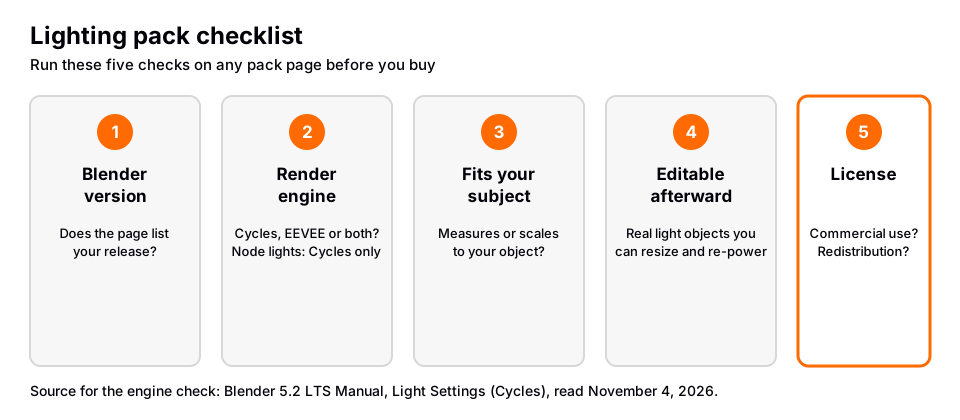
| Check | Why it matters | Where to look |
|---|---|---|
| Blender version | An add-on built for an older release may not run on yours | The product or extension page |
| Render engine | Some lighting only works in Cycles | The product page, then a test scene |
| Fits your subject | A fixed rig sized for a shoe is wrong for a car | Does it scale or measure to your object? |
| Editable afterward | You will want to tweak Power, Size and color | Are they ordinary light objects? |
| License | Client work and redistribution have different rules | The license text |
| Preview renders | Marketing images may use models and settings you do not have | Ask what the preview models are |
Render engine: why Cycles versus EEVEE matters
The Blender manual's Cycles light settings page says that in Cycles lights can be fully defined with shader nodes, through an Emission shader and a Light Output node. It also says shader-based light definitions are only supported in Cycles, and that EEVEE uses simplified light models and ignores light shader node trees. So a pack that relies on node-based lights, such as patterned or textured lights, can look different or lose its effect in EEVEE. If you render in EEVEE, check the page before buying.
Area lights also have a Spread setting that the manual describes as simulating a gridded softbox at low values. A pack with real Area lights lets you change this yourself.
Fit to your subject
Studio lighting depends on scale. A softbox that is large compared with a small product is soft. The same softbox next to a large object is relatively small and harder. A good pack either measures the subject or lets you scale the whole rig. For example, the free Light It Up extension page says its Fit To Subject option scales lighting distance, light size and energy to the subject's size, as read on November 4, 2026.
License and redistribution
Read the license before you use a pack on paid work. Look for two things: whether commercial use is allowed, and whether you may share the files. Poly Haven's license page, for example, says its HDRIs are CC0, so you may use and redistribute them for any purpose. Packs sold elsewhere set their own terms.
Free options and what their own pages say
You can try lighting without paying. These descriptions come from each page as read on November 4, 2026.
- Poly Haven HDRIs. The HDRI catalog lists a Studio category, which it describes as purpose-built lighting setups.
- Light It Up on Blender Extensions. Its page lists 17 lighting setups in four categories (Portrait, Cinematic, Environment, Product), four live controls per rig, Fit To Subject, Cycles and EEVEE support, and Blender 4.2 LTS and newer. It is licensed GPL 3.0 or later.
- Tri-lighting on Blender Extensions. Its page says it adds 3-point lighting to the selected or active object, supports Blender 4.2 LTS and newer, and "is now offered as it is, with limited supported" after being part of the Blender 4.1 bundled add-ons.
Our comparison of Blender lighting add-ons goes through more of them.
Sources: HDRI catalog · Blender Extensions · Blender Extensions
The lighting in the Material & Lighting Vault
The Material & Lighting Vault is a Blender 5.2+ extension. Its lighting comes in two parts, both found in the Metalight tab in the N panel.
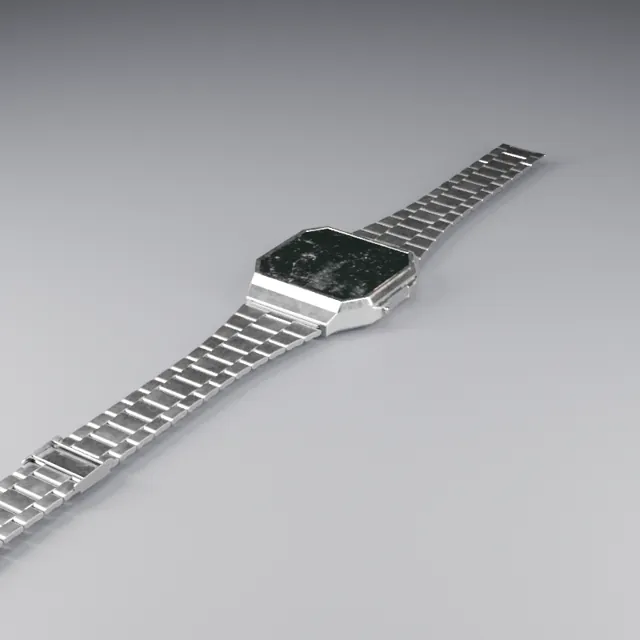
- 200 lighting setups in 19 categories. You select your objects, and a setup measures them and builds itself around them, so the rig fits the subject instead of being a fixed size. They are tuned for Cycles.
- 267 studio lights. Softboxes, beam profiles, gobos and colored light textures you can add to a scene, including to a rig you built yourself.
The Vault also contains 1,690 procedural materials and 67 weathering presets that work on any material, including your own. The license covers personal and commercial use, with no redistribution. It is one payment, and it is a tool, not a course.
If you are still learning why a key light, fill light and rim light do what they do, building a studio lighting scene by hand is a good first exercise.
Questions people also ask
What is a Blender lighting pack?
It is a bundle of ready-made lighting: light rigs, studio lights, light textures or HDRIs. You load it into a scene instead of positioning every light by hand.
Are lighting packs worth buying?
They save time if the rig fits your subject and render engine. Try a free option first, so you know what you need. If you only render one scene, three Area lights placed by hand may be enough.
Do lighting packs work in EEVEE?
It depends on how the pack is built. The manual says EEVEE ignores light shader node trees, so node-based lights can lose their effect there. Ordinary light objects work in both engines.
Can I use a lighting pack in client work?
Only if its license allows commercial use. Read the license text for the specific pack. The Vault's license covers personal and commercial use but not redistribution.
How we checked this
We did not run Blender or any of these products. We read these pages on November 4, 2026:
- Blender 5.2 LTS Manual: Light Objects, Light Settings (Cycles) and the Emission node.
- Blender Extensions pages for Light It Up and Tri-lighting.
- Poly Haven's HDRI catalog and license page. The Studio category description comes from the catalog, and the CC0 statement from the license page.
The checklist and the point about scale are our own working advice, not statements from those pages. We did not find a primary source for how other paid lighting packs are built, so we do not describe them.