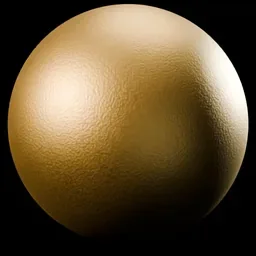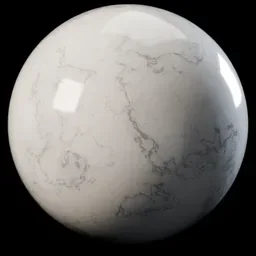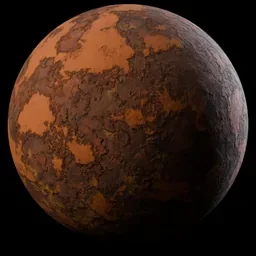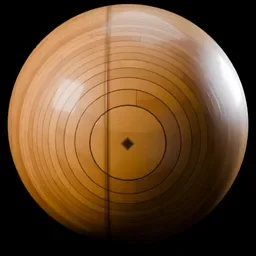

To make a gold texture in Blender, add a Metallic BSDF node, set Fresnel Type to F82 Tint, set Base Color to 1.000, 0.735, 0.353 and Edge Tint to 0.993, 1.000, 1.000, then choose a Roughness. Those are the gold values the Blender 5.2 LTS manual lists as examples on its Metallic BSDF page. You can get a similar result from the Principled BSDF by setting Metallic to 1.0 and using a gold Base Color.
This guide covers the full gold setup step by step, the more exact Physical Conductor mode, brushed and hammered gold, and white and gold materials such as a white ceramic with gold trim. It follows the Blender 5.2 LTS manual and names where Cycles and EEVEE differ.
How to make a gold material in Blender
- Select the object and open the Material Properties tab in the Properties editor. Click New if it has no material.
- Open the Shading workspace. Set the 3D Viewport to Material Preview or Rendered shading.
- Add a Metallic BSDF node in the Shader Editor and connect its BSDF output to the Surface input of the Material Output node. The manual describes this node as the one used to recreate the appearance of metals.
- Set Fresnel Type to F82 Tint. The manual says this uses the Adobe F82-Tint formula and gives artist-friendly control of the color near the edge of the material, to simulate a complex IOR.
- Enter the gold values. The manual defines Base Color as the color of the material viewed straight on, and Edge Tint as the color viewed at an 82 degree angle. Use the numbers in the table below.
- Set Roughness. The manual says reflection is perfectly sharp at 0.0 and smoother with higher values. For polished gold, start low. Anything from 0.1 to 0.3 is our suggested starting range, not a manual value.
- Give it something to reflect. A metal has no diffuse part, so in an empty world gold renders dark. Add an HDRI, as in how to use an HDRI in Blender.
You should now see a warm yellow metal that shifts slightly in color toward its edges. If it is dark or brownish, jump to the troubleshooting section below.
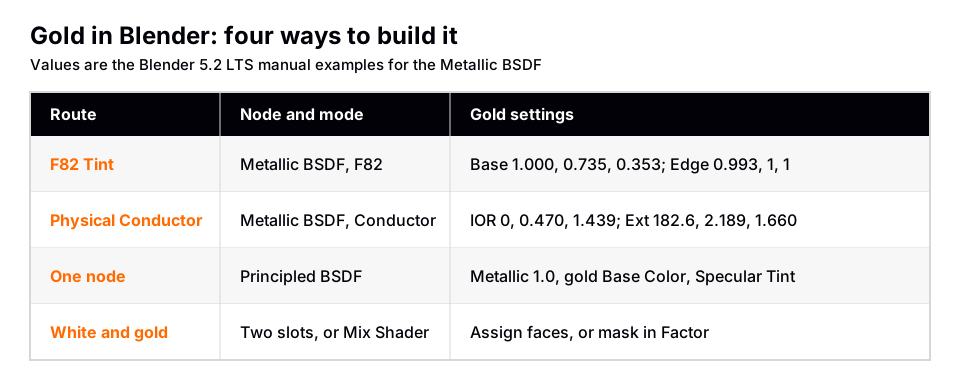
Gold values from the Blender manual
The Metallic BSDF page of the Blender 5.2 LTS manual includes example values for four metals, with titanium as the default. The gold entries are below. The manual lists them under two Fresnel types, so use one set at a time.
| Fresnel Type | Input | Gold (R, G, B) |
|---|---|---|
| F82 Tint | Base Color | 1.000, 0.735, 0.353 |
| F82 Tint | Edge Tint | 0.993, 1.000, 1.000 |
| Physical Conductor | IOR | 0.000, 0.470, 1.439 |
| Physical Conductor | Extinction | 182.6, 2.189, 1.660 |
The manual says Physical Conductor accepts complex IOR measurements from real metals and gives a more accurate result than F82 Tint. Its IOR is the real part of the complex refractive index and Extinction is the imaginary part. The manual points to the Physically Based database for CG artists and the Refractive Index nk database for other metals. For most scenes, F82 Tint is easier to adjust, because you can see and change the colors directly.
Gold with the Principled BSDF
If you prefer one node for everything, the Principled BSDF works too. Set Metallic to 1.0, which the manual says gives a fully specular reflection tinted with the base color, without diffuse reflection or transmission. Pick a gold Base Color and set Roughness.
The Principled BSDF has a Specular › Tint input. The manual says that for metallic materials it tints the edges to simulate the complex IOR found in materials such as gold or copper. Reusing the manual's gold Base Color here is our suggestion. The manual gives those numbers for the Metallic BSDF and does not give a Principled recipe for gold. See also metal materials in Blender.
Brushed, hammered and scratched gold
A flat, perfect gold looks like a plastic render. Real gold objects have surface variation, and you can add it in three ways.
- Vary Roughness with a texture. Plug a Noise Texture into Roughness. The node has Scale, Detail and Roughness inputs, and its Factor output gives a single value you can feed in. Keep the range small so the gold stays glossy. This is our suggestion.
- Bump the surface. The Bump node makes a perturbed normal from a height texture. Plug the texture into Height and the node's Normal output into the Normal input of the Metallic BSDF. Strength and Distance control the effect.
- Brushed gold. The Metallic BSDF has Anisotropy, Rotation and Tangent inputs. The manual says higher Anisotropy values give elongated highlights along the tangent direction, and marks Anisotropy and Rotation as Cycles only. It also says the highlight direction is rotated by 90 degrees compared to the Glossy BSDF, so add 0.25 to the Rotation value to correct it.
For lacquered or gold-plated pieces with a clear layer on top, the Principled BSDF has a Coat panel. The manual says it simulates a clearcoat, lacquer or car paint, and that its Weight should typically be zero or one for physically based materials.
White and gold in Blender
A white and gold material is two materials on one object, such as white ceramic with gold trim or a white product with gold logos. There are two ways to do it, and the manual describes both.
Method 1: two material slots
Use this when the border between white and gold is a hard edge along faces.
- In Object Mode, create the base material with a white Base Color and Metallic at 0.
- Go into Edit Mode and switch to face select.
- Select the faces that should be gold.
- In the Material Slots list, add a new slot and choose the gold material for it.
- Click Assign. The gold appears on the selected faces.
Method 2: a Mix Shader and a mask
The manual says that for a smooth transition between materials, mixing shader nodes with a Mix Shader is a better solution than material slots. Put the white shader in the first Shader input and the gold in the second. The Factor uses the first shader entirely at zero and the second at one, so a black and white mask connected to Factor decides where the gold shows.
For the white half, the manual's Mix Shader page notes that a mix of a glossy and a diffuse shader makes a nice ceramic material. Our plastic material guide shows the Principled BSDF settings for a glossy white dielectric.
Gold in EEVEE versus Cycles
Gold is all reflection, so it shows engine differences more than most materials. The manual lists these relevant points. For a wider comparison, see EEVEE vs Cycles.
- Anisotropy and Rotation on the Metallic BSDF are Cycles only, so brushed highlights need Cycles.
- The Beckmann distribution is Cycles only. GGX and Multiscatter GGX are listed without that label. Multiscatter GGX takes multiple scattering into account and avoids excessive darkening.
- The EEVEE limitations page says all BSDFs use approximations, so small differences from Cycles always exist.
- EEVEE's screen-space effects only know what is in the view, so reflections can disappear near the screen border.
Why your gold looks wrong
- It looks black or dark brown. Nothing to reflect. Add an HDRI or lights, and check that Metallic is 1.0 if you use the Principled BSDF.
- It looks like yellow plastic. Metallic is below 1.0, so a diffuse base layer is showing. Or you used a yellow Diffuse BSDF instead of a metal node.
- It looks flat and dull. Roughness is too high, or the environment is a uniform color. Lower Roughness and use a world with brighter and darker areas.
New to nodes? Start with Blender material basics.
Skip the node wiring with the Material & Lighting Vault
Building gold by hand means choosing a node, entering the values, then adding roughness variation and wear. The Material & Lighting Vault is a Blender 5.2+ extension (the Metalight tab in the N panel) with 1,690 procedural materials: 1,000 core materials in 32 categories plus 690 Pro. They work in Cycles and EEVEE and need no UVs, since they use object coordinates by default (a Use UV option exists).
If your gold needs to look handled, the Vault also has 67 weathering presets (rust, moss, snow, soot, cracks, edge wear) that work on any material, including the gold you built above. Its 267 studio lights, such as softboxes and beam profiles, help because metal only shows what it reflects. The set totals about 64 MB. The license covers personal and commercial use, without redistribution. It is a tool, not a course.
Questions people also ask
How do I make gold in Blender?
Use a Metallic BSDF with Fresnel Type F82 Tint, Base Color 1.000, 0.735, 0.353 and Edge Tint 0.993, 1.000, 1.000, then set Roughness. Light it with an HDRI so the metal has something to reflect.
What color values does Blender use for gold?
The manual's Metallic BSDF page lists Base Color 1.000, 0.735, 0.353 and Edge Tint 0.993, 1.000, 1.000 for F82 Tint. For Physical Conductor it lists IOR 0.000, 0.470, 1.439 and Extinction 182.6, 2.189, 1.660.
How do I make a white and gold material in Blender?
Give the object two materials. Assign white to the base slot, add a gold slot, select the faces in Edit Mode and click Assign. For soft transitions, use a Mix Shader with a mask in the Factor input.
Why is my gold material black in Blender?
Metals reflect their surroundings. With an empty world or no lights, a metal has nothing to show, so add an HDRI or lights.
Can I make brushed gold in EEVEE?
Not with true anisotropy. The manual marks Anisotropy as Cycles only. In EEVEE you can vary Roughness with a texture for a similar but different look.
How we checked this
We did not run Blender for this guide. We read these pages on November 4, 2026, and wrote only what they confirm:
- Blender Manual (5.2 LTS), read November 4, 2026: Metallic BSDF, Principled BSDF, Mix Shader, Material Slots assignment, Bump node, Noise Texture and EEVEE Limitations.
The gold numbers are the manual's examples. We did not read the two databases it names, so we give no other gold values. The manual gives no Principled BSDF recipe for gold, no recommended Roughness for gold, and no note on how to enter RGB values in the color picker, so those parts are our suggestions or left out. We also could not confirm differences between Blender 4.x and 5.x for these nodes.